Microsoft is one of the largest software vendors that provides customers with a security-focused public cloud platform. With a broad range of technologies and security tools that can fit small, medium and large enterprises, Microsoft lays a solid foundation for a modern IT environment.
For most businesses, however, the problem is not adoption. Reliable third-party estimates indicate that over 3.7 million companies globally use Microsoft 365. The biggest contributor to most failed deployments is not a lack of security tools, but a deployment without the right architecture.
Most environments have a mix of point solutions, disparate dashboards, multiple vendors and disjointed policy models.
In the case of Microsoft, deployment should not be approached as a toolset, but as a security-first platform built with identity-first and policy-oriented deployment. This blog outlines what a Microsoft-native security architecture means and provides a guide for enterprises.
What Microsoft-Native Security Architecture Actually Means
Most organizations have a fragmentation problem. They already have security solutions in place, which include agents running on endpoints, rules configured for email security, Microsoft Intune policies, alerts in Microsoft Defender and logs flowing from Sentinel.
From the perspective of a CIO or CSO, that fragmentation opens up vulnerabilities from multiple fronts. It’s easy to get buried by an overwhelming number of signals from different dashboards. Somehow, control might feel like it exists, but they are barely aligned to a unified model of identity, data and risk. When a breach happens, the disconnect between different tools appears and it only becomes evident that they don’t work together.
Often, the result is an environment that appears busy and not secure. Security teams spend time switching between different tools, without a clear single source of truth.
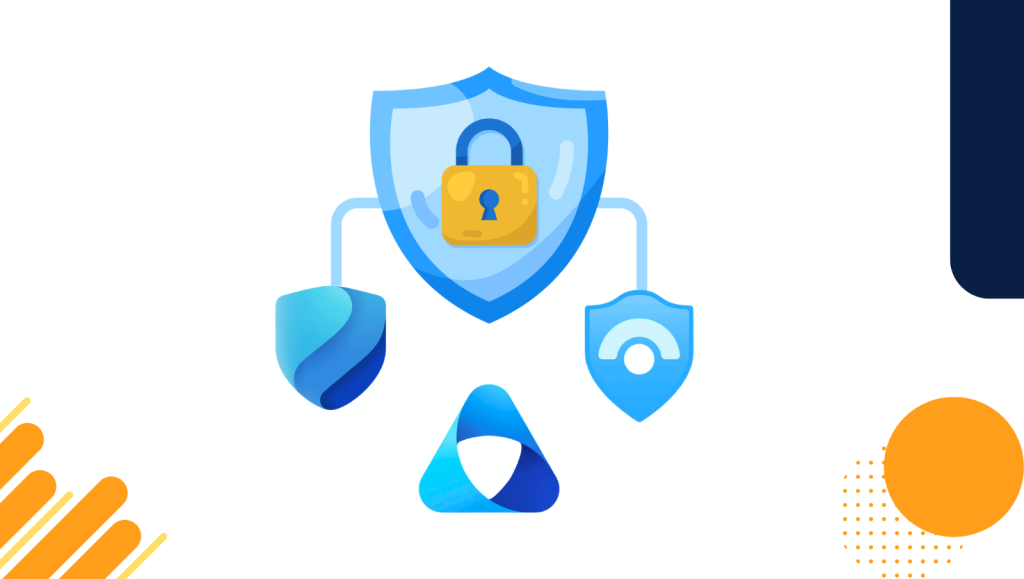
A well-defined security architecture is meant to solve this. The goal is not to add more tools, but to turn what you already own within Azure, Microsoft 365 and AI into a unified security platform that begins with identity, enforces consistent policies, aggregates signals and scales with the business.
At its core, a Microsoft-native security architecture brings Azure, Microsoft 365 and AI into one operational security model.
Core Layers of a Microsoft-Native Security Stack
A solid security stack is built in layers. Each is clearly defined with solid controls and a set of Microsoft tools to enforce those controls consistently organization-wide.
With identity as the anchor, everything is authenticated through Entra ID, access decisions are driven by real-time risk signals and privileged roles are governed, temporarily elevated and monitored continuously.
Policy is then unified across cloud, devices, data and collaboration. Conditional Access governs entry points, Microsoft Intune governs device trust, Purview policies govern data access and sharing, while Defender governs threat protection across endpoints, cloud workloads and SaaS applications.
All signals are collected in a single detection and response fabric. Defender XDR correlates signals across endpoints, identities, cloud, email and apps. Entra sends identity risk signals, Purview generates data risk signals and Sentinel aggregates, enriches and automates incident responses.
Governance extends from infrastructure to data. This is enforced through sensitivity labels, retention policies, DLP, information protection and insider risk policies.
AI is secured through the same principles: data classification, access governance and compliance rules. At the same time, Security Copilot utilizes this unified fabric to accelerate investigation and response.
1) Identity and Access Management
The role of this layer is to establish who can access what, evaluate trust in real time, and enforce the principle of least privilege.
Key capabilities include strong authentication using MFA and anti-phishing MFA, Conditional Access for contextual entry decisions, risk-based access with automated remediation and Privileged Identity Management (PIM) for just-in-time access. It also includes role-based access control (RBAC) across Azure and Microsoft 365.
Technologies used:
- Microsoft Entra ID (Azure AD)
- Identity Protection
- Conditional Access
- Privileged Identity Management
- Role-based access control for Azure, Microsoft 365 and workloads.
Related resource – Identity and Access Management: 6 Tips for a Crucial Security Defense
2) Endpoint and Device Security
This layer is enforcement. Designed to establish device trust before granting access, endpoint and device security enforces compliance baselines for corporate and personal devices and detects and responds to endpoint threats.
Beyond device compliance policies, endpoint and device security enforces app protection policies for BYOD, endpoint detection and response (EDR), vulnerability management and attack surface reduction.
Technologies used:
- Microsoft Intune
- Defender for Endpoint
- Compliance Policies
- Mobile Application Management (MAM).
Related resource – What is Endpoint Security? | Protect Devices, Stop Threats
3) Email and Collaboration
Email is inarguably the primary attack surface. The primary purpose of this layer is to protect users from phishing, business email compromise (BEC), malware and impersonation.
Protection against these threats ensures secure collaboration across Teams, SharePoint and OneDrive, and governed sharing and external access. As an enabler of anti-phishing, anti-spam and anti-malware, email and collaboration protection extends its capabilities to safe links, safe attachments, impersonation protection and real-time collaboration governance.
If an attacker gains access to a compromised account and starts escalating laterally, email and collaboration capabilities detect the compromised inboxes and prevent escalation.
Technologies used:
- Microsoft Defender for Office 365
- Exchange Online Protection
- Teams security controls
- SharePoint/OneDrive governance.
Related resource – Microsoft Defender for Office 365: Capabilities & Deployment Guide
4) Cloud workloads
Cloud workloads comprise the infrastructure and defense for applications. Proper defense for this layer means detecting threats across containers, virtual machines, platform as a service (PaaS) and serverless workloads. It also ensures secure Azure resources and infrastructure to keep workloads running smoothly.
Key capabilities include cloud security posture management (CSPM), cloud workload protection (CWPP), secure score and compliance assessments, multicloud visibility and threat detection across workloads.
Technologies used:
- Microsoft Defender for Cloud
- Azure Security Center
- Defender for Containers
- Defender for Servers.
Related resource – A Guide to Cloud Security Posture Management (CSPM)
5) SaaS Visibility and Governance: Shadow IT Control
Shadow IT remains one of the most persistent blind spots in enterprise security. The purpose of this layer is to discover unauthorized apps, monitor high-risk SaaS usage and enforce session controls and conditional access for cloud apps.
Key capabilities include cloud app discovery, OAuth app governance, session monitoring with real-time controls and data exfiltration monitoring across SaaS platforms.
Technologies used:
- Microsoft Defender for Cloud Apps
- Conditional Access App Control
- OAuth app policies.
Related resource – How to Approach AI Governance – Safe, Secure & Ethical AI Usage
6) Data Governance and Compliance: The Information Protection Layer
At the heart of any security architecture is the ability to know where sensitive data lives, who has access to it and how it moves. The purpose of this layer is to classify, label and protect sensitive data, control data sharing and enforce retention, and govern insider behavior tied to high-risk information.
Key capabilities include sensitivity labels, DLP policies, retention and records management, insider risk analytics and eDiscovery.
Technologies used:
- Microsoft Purview
- Information Protection
- Data Loss Prevention
- Insider Risk Management
- eDiscovery
Related resource – What is Data Governance: Framework & Best Practices (+benefits)
7) Monitoring, Detection and Response
Security is only as strong as your ability to detect and respond to threats in real time. The purpose of this layer is to correlate signals across identity, endpoints, email, cloud and data, detect compromised accounts and devices early, and automate response to improve investigation time.
Key capabilities include unified threat analytics, automation through playbooks, SOC workflows, UEBA (behavior analytics) and threat intelligence integration.
Technologies used:
- Microsoft Sentinel
- Defender XDR
- Security Copilot
- Log Analytics
Related resource – How Microsoft Sentinel Strengthens Threat Detection and Response
8) AI and Copilot Security
As AI becomes embedded in daily workflows, it introduces a new attack surface that traditional controls were not designed to handle. This layer ensures that AI only accesses and generates information users are authorized to see, govern AI behavior through data classification and access controls and prevent unintended data exposure through AI-driven workflows.
AI and Copilot security entails inheritance-based access for Copilot, prompt governance, Purview-backed data boundaries and risk monitoring and response for AI activity.
Technologies used:
- Microsoft Purview for AI
- Copilot data security
- Conditional Access policies
- Defender for Cloud Apps
Related resource – A Guide to Building a Comprehensive AI Security Strategy
Reference Architecture: Microsoft-Native Security for a Mid-Large Enterprise
This reference architecture illustrates how Microsoft security tools operate as a unified system when deployment is done intentionally, rather than through isolated implementations.
The architectural assumptions are straightforward: the environment is hybrid or cloud-first, running on Microsoft 365 E3 or E5 with Azure workloads, a mix of personal and corporate devices and central IT with security operations oversight. This structure often demands regulatory compliance across data, identity and cloud usage.
Identity as the Foundation
Microsoft Entra serves as the single provider of identity. All users, admins, service accounts and workloads authenticate through Entra to evaluate user risk, device compliance, location and session context. Privileged access is time-bound via Privileged Identity Management, logged and continuously monitored.
Device Trust and Access Enforcement
Devices are enrolled and managed through Microsoft Intune. Before access is granted, compliance status is evaluated and non-compliant devices are restricted or blocked. Defender for Endpoint provides real-time threat detection and risk signals that feed back into Conditional Access.
Email and Collaboration Protection
Defender for Office 365 protects Exchange Online, SharePoint, OneDrive and Teams. Phishing and impersonation protection is enforced before and after delivery. When a compromised account is flagged, it gets identified by Defender XDR and automatically remediated through policy or playbooks.
Cloud Workload Security
Defender for Cloud monitors Azure subscriptions, hybrid servers and multiple clouds where applicable. The security score highlights misconfigurations, identity weaknesses and network exposure. Azure policies enforce baseline security controls and configuration standards across environments.
SaaS and Shadow IT Governance
Defender for Cloud Apps discovers unsanctioned SaaS usage and risky OAuth applications. Session policies apply Conditional Access in real time with controls on download, upload and sharing. High-risk apps are restricted, blocked or monitored depending on business needs.
Data Protection and Compliance
Sensitive data is identified, classified and labeled using Microsoft Purview. DLP policies enforce data usage rules across endpoints, email and cloud apps. Insider risk policies monitor anomalous behavior and high-risk access patterns. For legal, compliance and audit requirements, retention and eDiscovery provide support.
Security Operations and Response
Defender XDR aggregates signals from identity, endpoints, email and cloud workloads into a unified view. Microsoft Sentinel centralizes logs, alerts and incidents, while automated playbooks handle account suspension, device isolation and incident escalation. Security Copilot accelerates investigation, threat hunting and response decision-making.
Overall outcome
The outcome of this reference architecture is identity-driven access decisions and real-time enforcement across apps and devices with centralized visibility and response.
Ultimately, the attack surface is reduced with clear separation between policy, detection and response, and a scalable foundation for AI and Copilot adoption.
How to Phase Adoption: Building Architecture in the Right Order
A Microsoft-native security architecture should not be deployed simultaneously. Attempting to enable every control often leads to misconfiguration, user friction and policy sprawl. Each layer needs to be stable before the subsequent one is built upon it.
Phase 1: Identity First
The first phase establishes a strong foundation and consistent identity control plane. This comes first because identity is the primary attack vector. Every other control depends on identity trust, and weak identity renders downstream security ineffective.
Phase 2: Endpoint and Device Trust
The second phase ensures only trusted devices can access corporate resources. This comes next because Conditional Access becomes meaningful only when device posture is known. Endpoint signals feed identity risk decisions and reduce lateral movement and credential misuse.
Phase 3: Cloud Workloads and Infrastructure
The third phase secures Azure and hybrid workloads at scale. This phase matters because cloud misconfiguration is a leading breach vector. Infrastructure security must align with identity and policy to prevent exposure before workloads scale.
Phase 4: Data Protection and Governance
The fourth phase protects sensitive data wherever it lives or moves. This phase follows cloud because data governance relies on stable access and device controls. Over-labeling too early creates friction, and data protection must reflect real usage patterns.
Phase 5: Monitoring, Detection and Response
The fifth phase creates central visibility and automated response. This comes later because security information and event management (SIEM) without signal quality creates noise. Detection improves after controls are enforced, and response automation requires stable policy foundations.
Phase 6: AI and Copilot Enablement
The final phase secures AI usage without restricting productivity. Focus areas include Copilot access governance, data boundary validation, prompt and output risk controls and Purview-backed enforcement. This is last because AI amplifies existing exposure. Copilot inherits permissions and data posture, which means AI should sit on top of a mature security foundation.
Where Managed Services and SOC-as-a-Service Fit
Even with strong controls in place, security requires continuous tuning, monitoring and response. This is where managed services and SOC-as-a-service become operationally critical.
Security controls generate huge volumes of signals that are hard to keep up with manually. Threats evolve faster than static configurations while internal teams are often stretched across operations, projects and incidents. Over time, alert fatigue reduces response quality.
Managed security services provide continuous monitoring across Defender XDR, Sentinel, identity risk signals and cloud workload alerts. They bring policy tuning and optimization, incident response and remediation, threat hunting and proactive defense, and operational maturity and reporting.
How SOC-as-a-Service Aligns with Microsoft Security
SOC-as-a-service is built directly on Defender XDR, Sentinel and Security Copilot. It leverages Microsoft-native telemetry rather than third-party agents and integrates seamlessly with identity, endpoint, cloud and data governance layers already in place.
Conclusion
Microsoft security works best when it is designed as an architecture, not deployed as isolated products. When these layers are aligned, Microsoft security becomes predictable, enforceable and scalable.
As a Microsoft-focused cybersecurity consultant, we help organizations leverage the Microsoft technologies they already own to build a solid, coherent security posture that supports growth, cloud adoption and responsible AI use.
Whether you’re rationalizing existing security investment, preparing for Copilot adoption or designing a long-term cybersecurity strategy, we can help you map a roadmap. Speak with us today to get a clear way forward.